How to Create a Simple Follow-Up Log for Small Business

Customer relationships often fail because of small, forgotten actions rather than major mistakes. A promising conversation goes quiet, a thank-you note stays unsent, or an appointment slips past its reminder date. A simple follow-up log turns those loose ends into visible commitments. It gives one reliable place to record who needs contact, why it matters, and what should happen next.
This guide explains how to build a simple client follow up log template for small business using plain records, clear fields, and a routine that takes only a few minutes a day.
Why a plain follow-up log works
Complex customer relationship systems can be useful, but they are not always practical for a small operation. A plain log is easier to open, search, update, and understand. It does not require a long setup process or detailed technical knowledge.
The main advantage is visibility. When every follow-up has a date, an owner, and a next action, it becomes much harder to overlook. The log also creates continuity. If another team member takes over, they can see the history without relying on memory.
A good log supports three common needs:
- Callbacks: when a customer expects a return call or a price update
- Thank-you notes: after a purchase, referral, meeting, or helpful conversation
- Appointments: when a visit, delivery, estimate, or consultation needs confirmation
Choose the format you will actually use
A follow-up log can live in a spreadsheet, a table inside a document, or a dedicated notes application. The best format is the one you can open quickly and update without friction.
For most small teams, a spreadsheet works well because it supports sorting and filtering. A simple table can be equally effective if you prefer a paper-based or document-based workflow. Whichever format you choose, keep it in one shared location with controlled access.
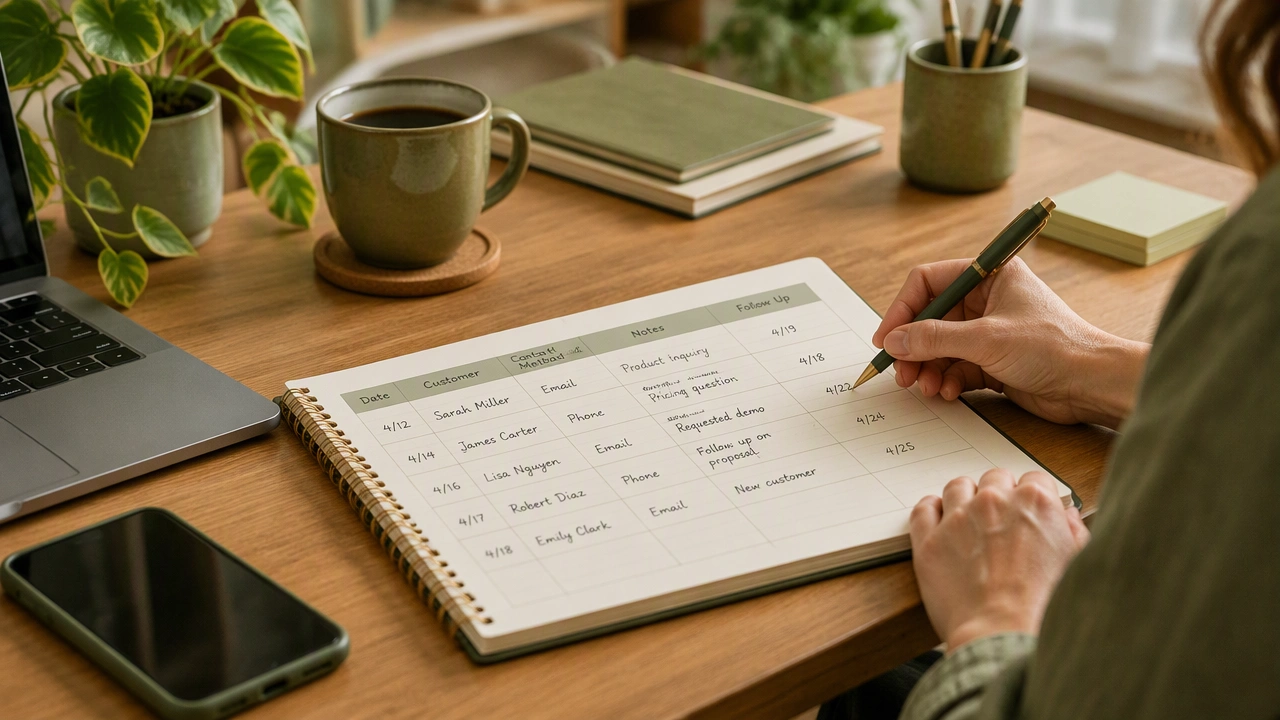
Recommended columns
Start with a small set of fields. Too many columns make the log feel like paperwork and reduce the chance that it will be maintained.
- Contact name: the person you will speak or write to
- Business or context: the company, project, or reason for contact
- Contact details: phone number, email address, or preferred channel
- Last interaction: what happened and when
- Follow-up action: the exact next step
- Due date: the day the action should be completed
- Status: open, scheduled, waiting, or complete
- Notes: relevant details, preferences, or promises made
Keep names and descriptions short. Put longer context in the notes field so the main columns remain easy to scan.
Create a repeatable entry process
The log is only useful if new information enters it quickly. Add a follow-up record immediately after a conversation, meeting, or promise. Waiting until the end of the week increases the chance that details will be lost.
Use a consistent structure when writing each entry:
- Record the last interaction in factual terms, such as “discussed spring service options” or “sent estimate for kitchen repair.”
- Write the next action as a clear task, such as “call to confirm preferred start date” or “send thank-you note after delivery.”
- Set a realistic due date based on what the customer expects.
- Choose a status that reflects the current stage of the follow-up.
Avoid vague entries such as “follow up soon.” Vague wording forces you to reconstruct the situation later and makes prioritization difficult.
Set simple rules for dates and priorities
Dates should reflect commitments, not general intentions. If a customer expects a callback on Thursday, record Thursday as the due date. If no date was promised, choose the next sensible working day.
You can add a priority field when needed, but do not overcomplicate the system. A basic scale is enough:
- High: a missed action could cause delay, confusion, or dissatisfaction
- Normal: the action matters but has a workable window
- Low: the action is optional or can wait without consequence
Sort the log by due date first. Review high-priority items at the top of each working day so urgent commitments are handled before routine messages.
Run a short daily and weekly review
A follow-up log works best as a lightweight routine. Spend a few minutes each morning checking items that are due or overdue. Update statuses as you complete actions and add any new commitments that arose from calls or meetings.
At the end of the week, review the full log. Look for repeated delays, unanswered messages, and contacts who have not been reached for a long time. This is also a good moment to close stale entries that no longer require action.
Keep entries accurate
Mark an item complete only when the action has actually happened. If a call goes to voicemail, keep the entry open and record the attempt in the notes. If a customer requests a later date, update the due date rather than leaving the old one in place.
Accuracy prevents the log from becoming a source of false confidence. A status should always describe reality, not intention.
Protect privacy and keep access limited
Follow-up logs may contain phone numbers, email addresses, and details about purchases or appointments. Store the log in a secure location and share it only with people who need it for their work.
Use business contact details when possible, and avoid recording sensitive information that is not necessary for the follow-up. If the log is shared, define who can edit entries and who can only view them. Remove access when a person leaves the project or organization.
Improve the template as you use it
After a few weeks, you will notice which fields are helpful and which ones slow you down. Add a column only when it answers a real question, such as preferred contact method or follow-up owner. Remove fields that are rarely completed.
A simple follow-up log does not need to impress anyone. It needs to make the next action obvious. When callbacks, thank-you notes, and appointments are recorded in one plain system, customer relationships become easier to manage and less dependent on memory.